
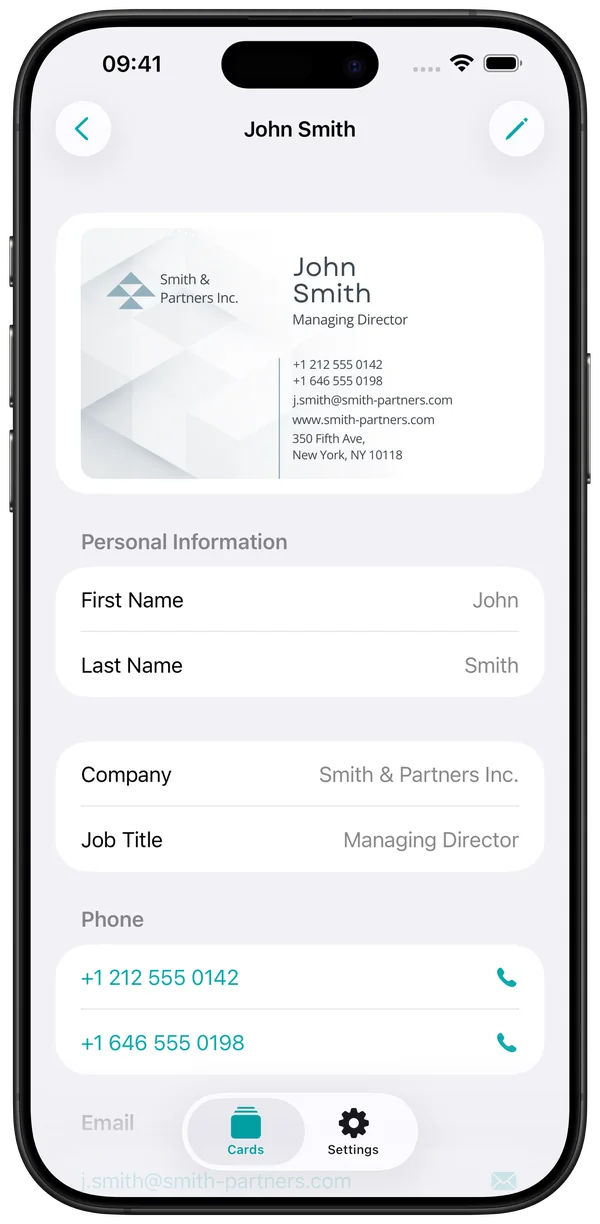

Scard lets recruiters scan the cards they collect at career fairs, meetups and client visits, then separate candidates from hiring managers with tags. Cards are stored on your devices and sync through your own iCloud, with no Scard account involved.
- Tag by role, event and type: candidate, client, partner
- Notes record skills, availability and salary context you were told
- Images stay on the device; no sign-up and no upload of the card image
- Search by name, company or email when a role opens
Two kinds of cards, two different follow-ups
A recruiter at a career fair gets two groups of cards. Some come from candidates: students, career changers, people who want to hear about roles in the spring. Others come from people on the hiring side: a department head who stopped by the booth, an HR partner from another company, a vendor. They need different handling, and mixing them is how a candidate gets a sales email.
The tag system handles it. Create a type tag for each kind, and add a role tag for what the person is interested in or what you might place them in: backend, nursing, logistics, finance. Add an event tag for the fair. When a new opening arrives, filter by the role tag and you have a ready list of people you have already met. When you plan a client visit, filter by the client type instead. Because tags are free text, you are not locked into a scheme you set up on day one.
The note field carries the information that is hard to remember: notice period, willingness to relocate, languages, what they said they did not want. Write it while the conversation is still fresh, but keep it factual. Notes are part of the contact record, so write nothing you would not want the person to read.
Handling candidate data responsibly
Candidate cards are personal data, and in Europe that brings real obligations. Scard makes some parts of that easier and leaves others entirely to you. The card image never leaves your device. The cards are kept on your iPhone and iPad and sync through your own iCloud, and there is no Scard account. When you are online, the recognized plain text, never the image, is sent anonymously to an AI model that sorts it into fields. Offline, an on-device parser does that.
What Scard cannot do is decide your legal basis, set a retention period or tell a candidate what you hold. Decide how long you keep candidate cards after an event, and delete the ones you no longer need. The business cards and GDPR post sets out the questions to ask, and the privacy page describes exactly what Scard stores and sends. If your agency has a data protection officer, ask before you build a process around any tool.
From the fair to your applicant system
Scard does not talk to any applicant tracking system. When a candidate is worth pursuing, the usual route is to export the collection as CSV and import it into your system, or to share a single vCard with a colleague. The CSV carries the tags, so you can filter by event or role in the spreadsheet before importing and avoid dumping every client card into the candidate database.
Saving to iPhone Contacts is a second option. Pick a Contacts group, such as the name of the fair, so the people you met can be messaged from your usual apps. You can read how groups work on the contact groups page.
For follow-up, send messages within a few days, while the person still remembers you. The follow-up post has practical timing advice that applies to fairs of any kind.
Running a booth with several people
If two colleagues work the same fair, each has their own phone and their own collection. Agree on tag names before the doors open, for example the event name and the role names, so that the exports match when you combine them. Scard does not merge collections between people, so a shared spreadsheet is where the lists meet.
This is also where duplicate detection helps inside your own collection. A candidate who comes to the booth twice, or hands you a second card on the second day, will be flagged by email or by name and company, and you can merge.
Scard is not an applicant tracking system and does not manage consent or retention. You are responsible for how you store and use candidates' personal data. Free scans are limited to 2; unlimited scanning needs Scard Pro.
How to sort cards at a career fair
- Scan and tag the event
Scan each card and add a tag with the name of the fair.
- Mark the type and role
Add a tag for candidate or client, plus one for the role or field.
- Write a factual note
Record availability, location or skills the person mentioned.
- Export what you need
Filter by tag and export the candidates as CSV for your system.
Frequently asked questions
Can I keep candidates and clients separate?
Yes. Use tags such as candidate and client, then filter the list by tag or export and filter the CSV.
Is candidate data uploaded to a Scard account?
No. There is no account. Cards are stored on your devices and sync through your own iCloud.
Does Scard work with my applicant tracking system?
Not directly. You export a CSV or vCard and import it into your system.
Is the card image sent anywhere?
No. Only recognized text is sent for AI sorting when you are online, and an on-device parser is used offline.